
Staking
Key Features of the Hipo App for Staking
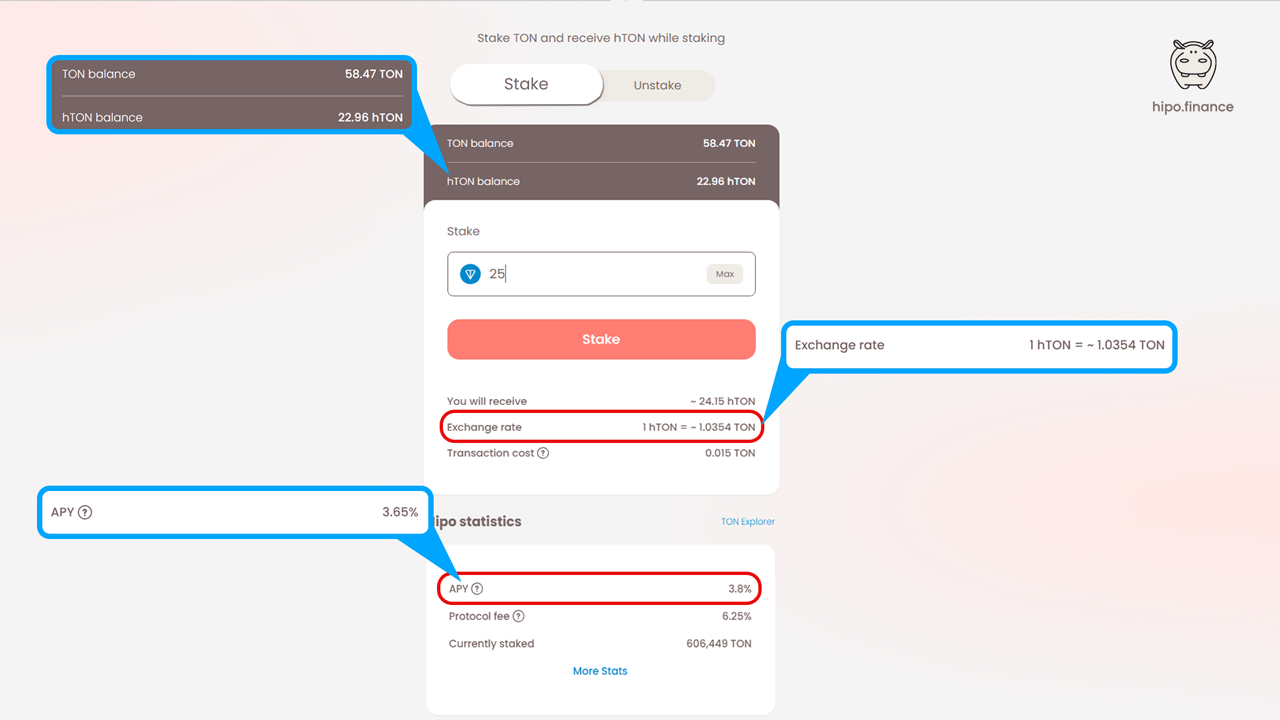
Section titled “Key Features of the Hipo App for Staking”In the “Stake” tab, you can:
- View both your GRAM and hGRAM balances.
- Check the hGRAM exchange rate, which increases as staking rewards accumulate.
- Review the APY (Annual Percentage Yield) from the last validation round.
How to Stake Your GRAM with Hipo
Section titled “How to Stake Your GRAM with Hipo”Step 1: Choose Your Platform
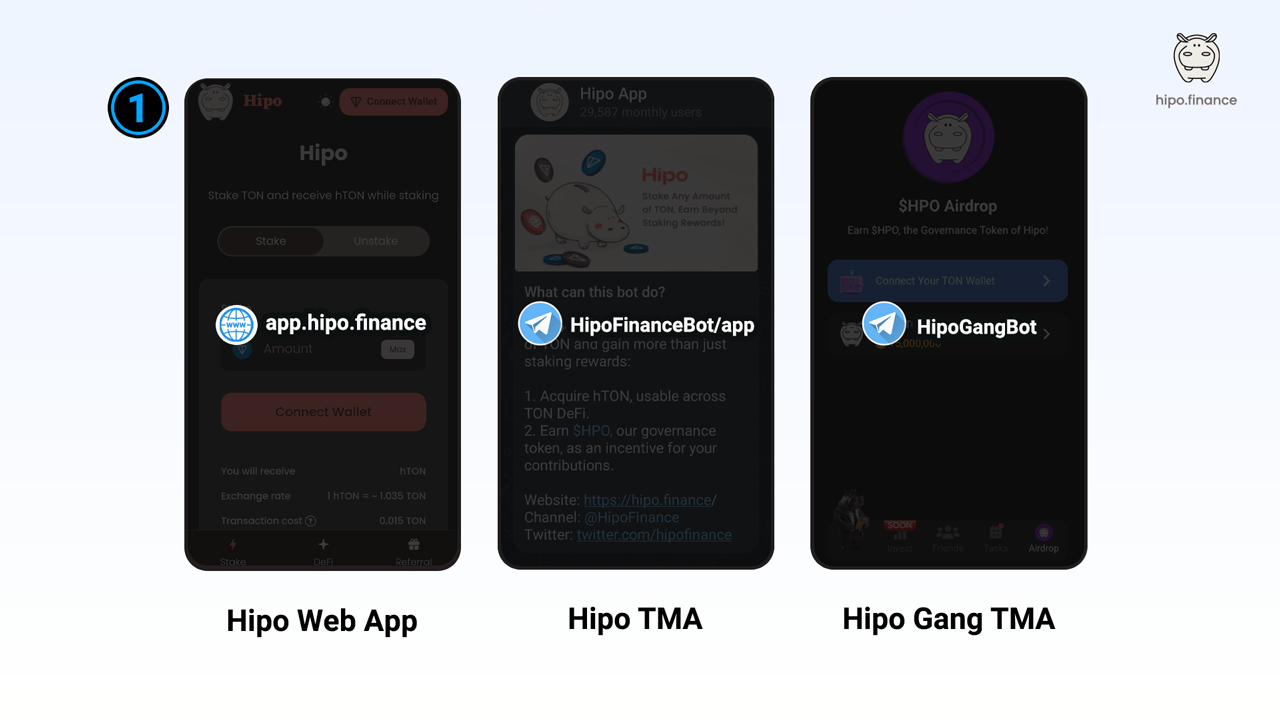
Section titled “Step 1: Choose Your Platform”You can stake your GRAM using the Hipo Web App, Telegram Mini App, or even through Hipo Club. Simply choose the platform that suits you best, and you’ll be able to stake GRAM from any of these options.
Step 2: Connect Your Wallet
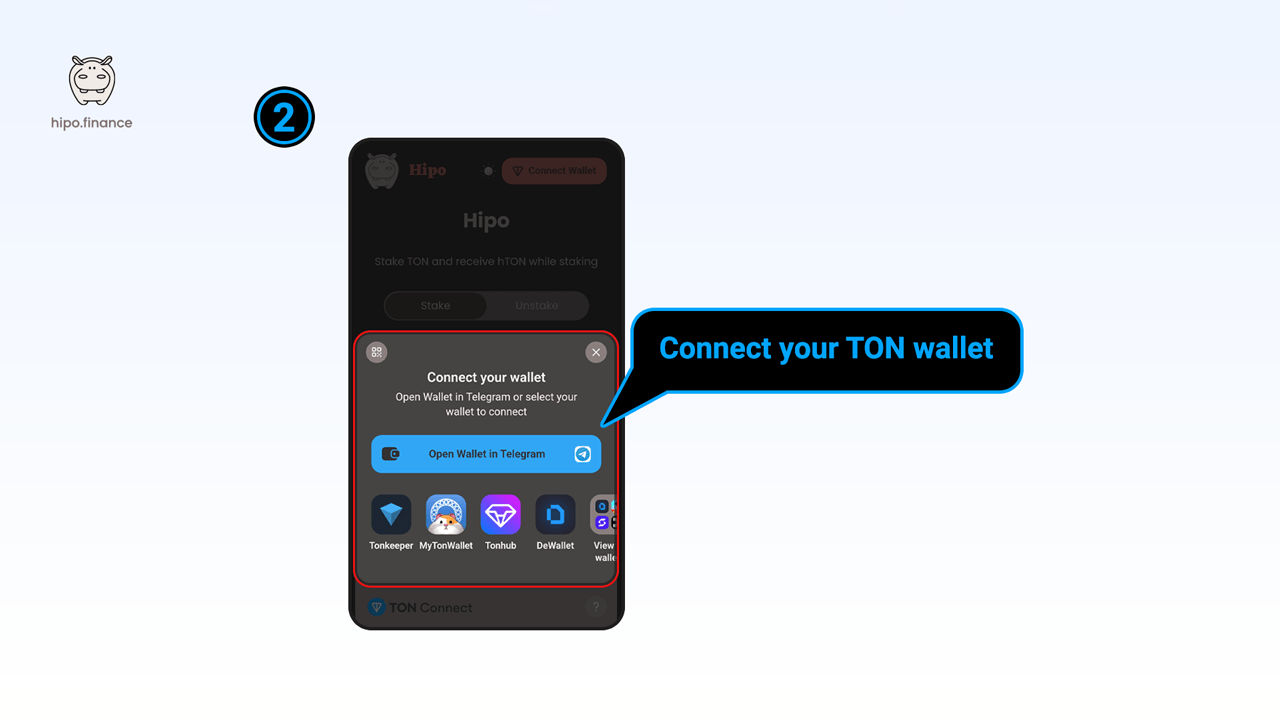
Section titled “Step 2: Connect Your Wallet”Next, connect your TON wallet. Hipo supports a wide range of GRAM wallets, including Keeper, Tonhub, and others.
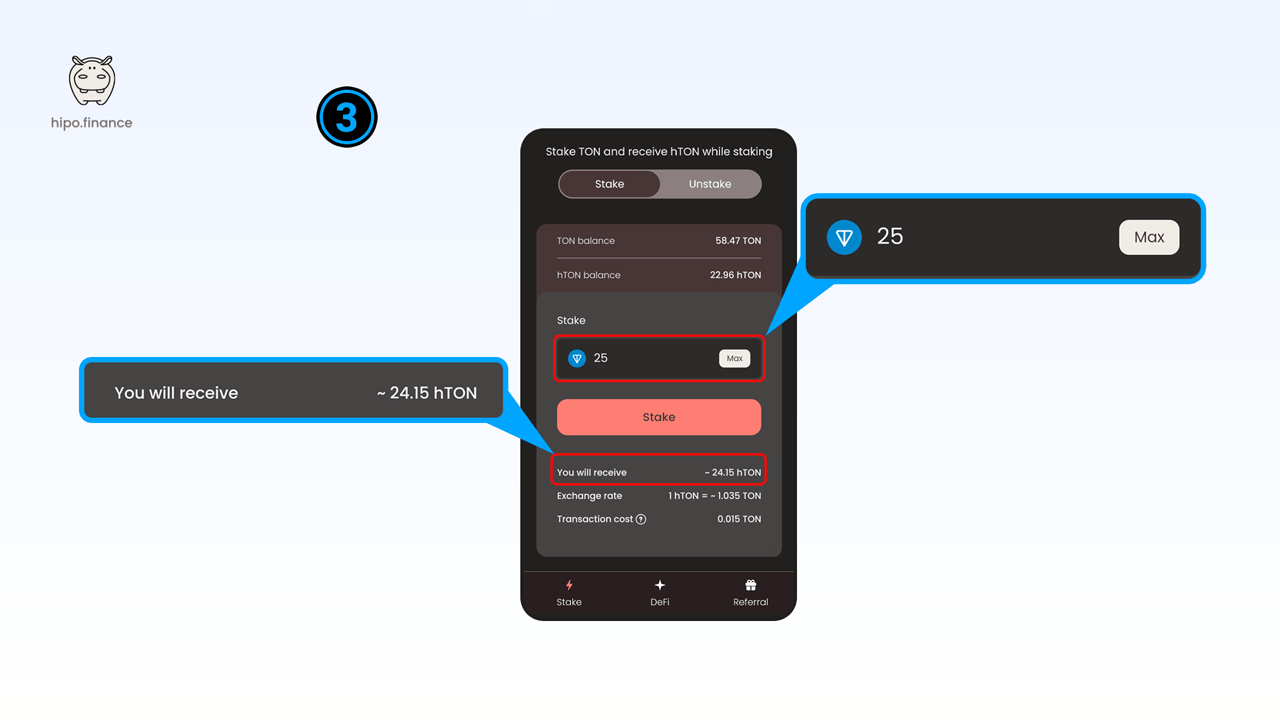
Step 3: Enter the Amount You Want to Stake
Section titled “Step 3: Enter the Amount You Want to Stake”Decide how much GRAM you’d like to stake. You’ll be able to see how much hGRAM (Hipo Staked GRAM) you’ll receive based on the current exchange rate, which increases over time as staking rewards accumulate. Once you’re satisfied, click “Stake.”
Step 4: Confirm the Transaction
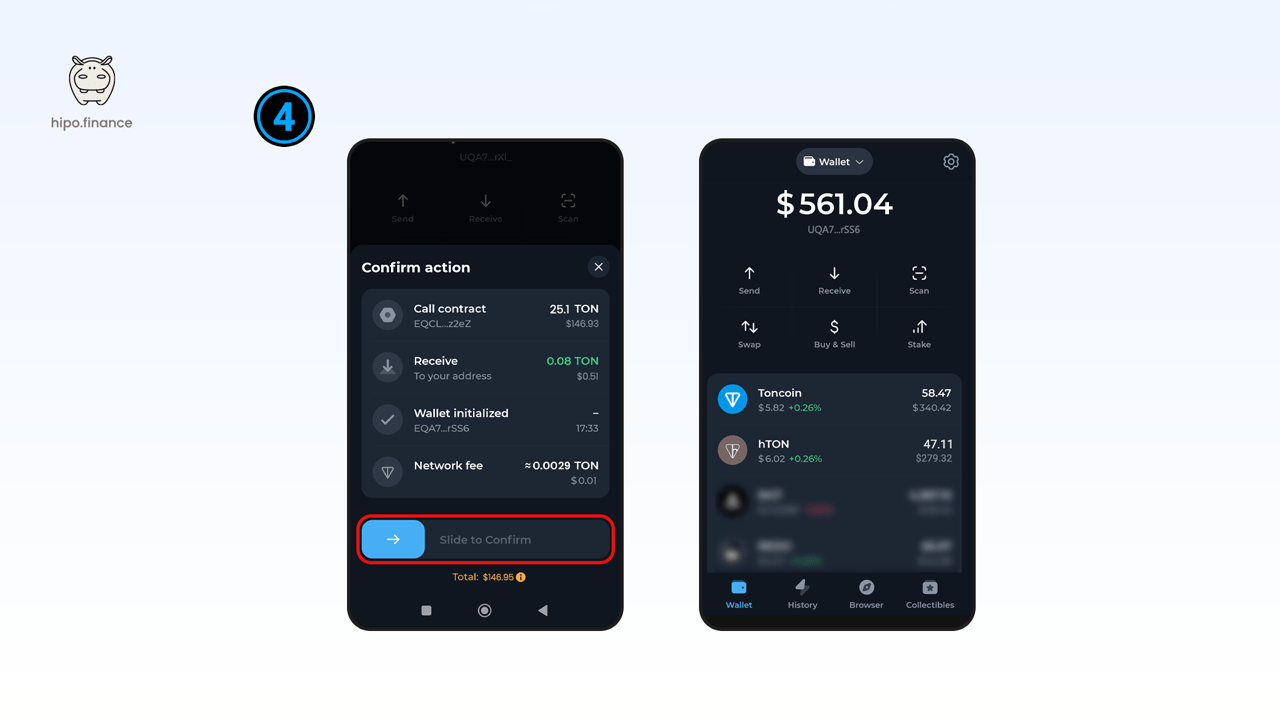
Section titled “Step 4: Confirm the Transaction”Confirm the staking transaction directly in your wallet. The app attaches a small gas prepayment on top of your amount, and the unused part is refunded — see Fees & Gas. Within seconds, you’ll receive your hGRAM tokens, representing your staked GRAM.